Bookings · 13/30
Booking statuses and actions
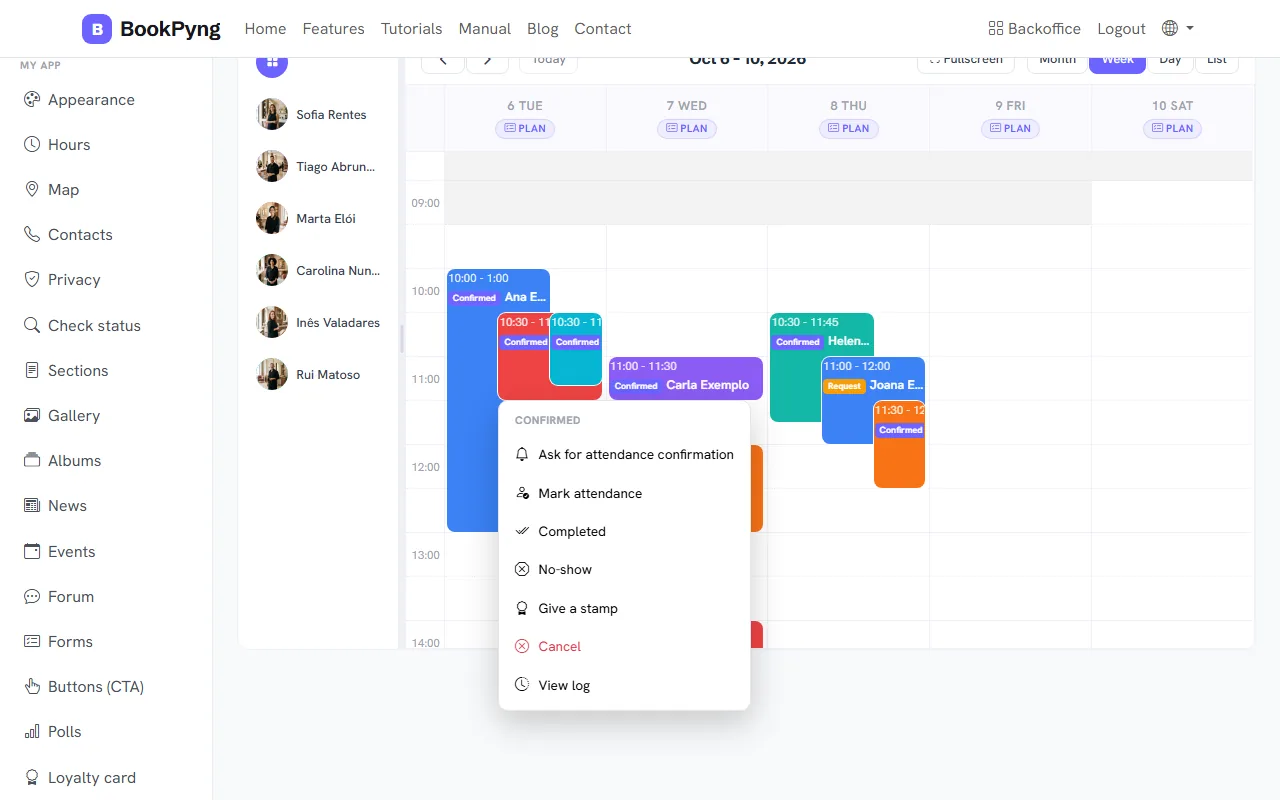
Every booking follows a flow: request → confirmed → attendance → done. The actions appear in the right-click menu, in the order of the flow.
Step by step
- On a pending request: Confirm (book); if the customer asked for a time window, Suggest a time to the customer (they receive the proposal and confirm in the app); once a time is proposed, Change suggested time or Confirm now.
- On a confirmed booking: Ask for attendance confirmation (the customer gets a request), Mark attendance (or Remove attendance), Completed when the service is done, or No-show.
- With the loyalty card on, a confirmed or completed booking offers Give a stamp (and Remove the stamp).
- On a request or a confirmed booking you can Cancel: add a reason (optional) and the customer is told.
- View log shows the history of everything that happened to that booking.
Tips
- Attendance confirmed by the customer is not the same as the status: it confirms the customer is coming, not that the service was done.
- When you mark a booking as done, the customer receives a review request.
Ready to have your own app? Create an account and get 14 days with everything unlocked.
Create my app