Content · 22/30
Sections, buttons and other modules
Besides the main modules, you have blocks to complete your app.
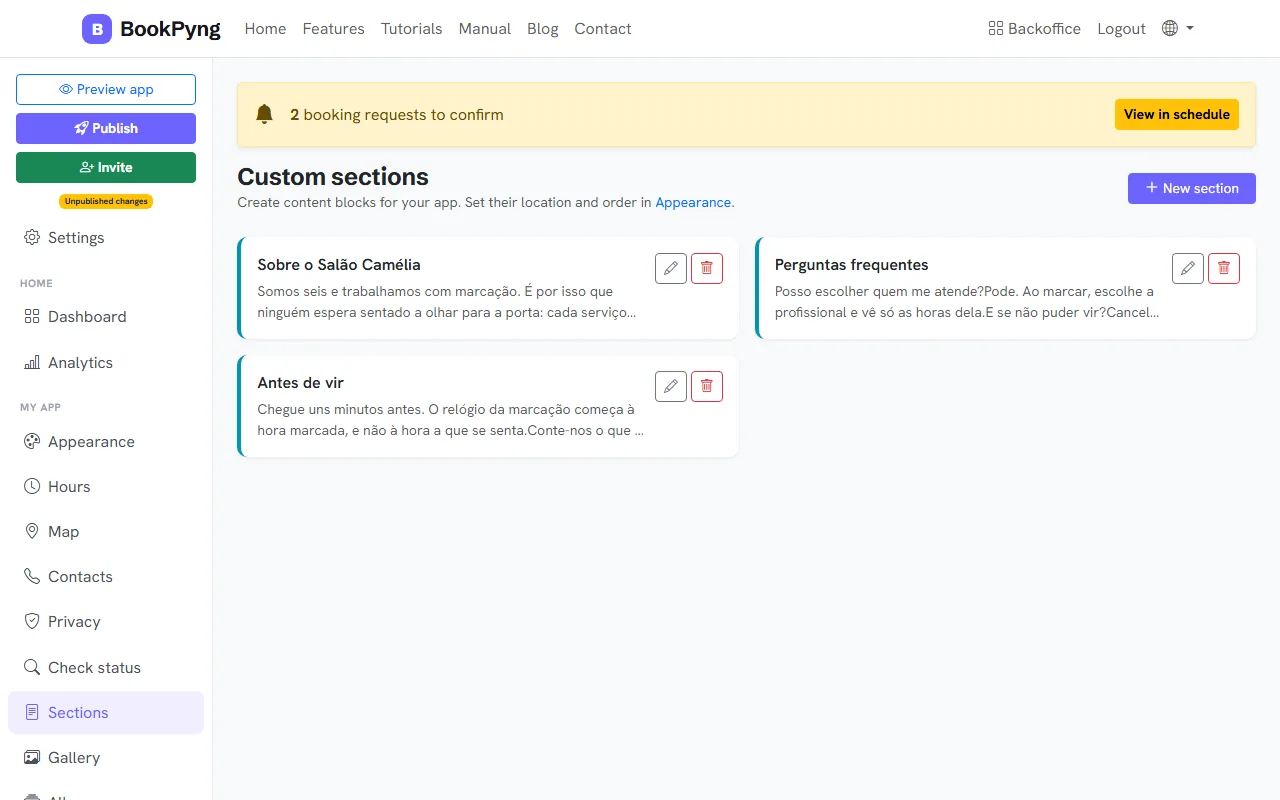
Step by step
- Sections: custom text blocks (with tables and action buttons). Their location and order are set in Appearance.
- Buttons (CTA): groups of action buttons for the home page or the menu. A button with no link opens booking; you can also use
#contactos,https://…,tel:…ormailto:…. - Forms: forms customers fill in inside the app (you can limit it to one entry per person). Enable the “Forms” section in Appearance.
- Polls: questions with options for customers to vote on.
- Forum: moderate messages, close topics and ban users.
- Check status: the customer types a number (for example a repair) and sees the status, read from a spreadsheet (Google Sheets, Excel or CSV).
Tips
- If a module is not for you, turn it off in Settings → Side menu to tidy up the menu.
Ready to have your own app? Create an account and get 14 days with everything unlocked.
Create my app