Sell and retain · 16/30
Products and orders
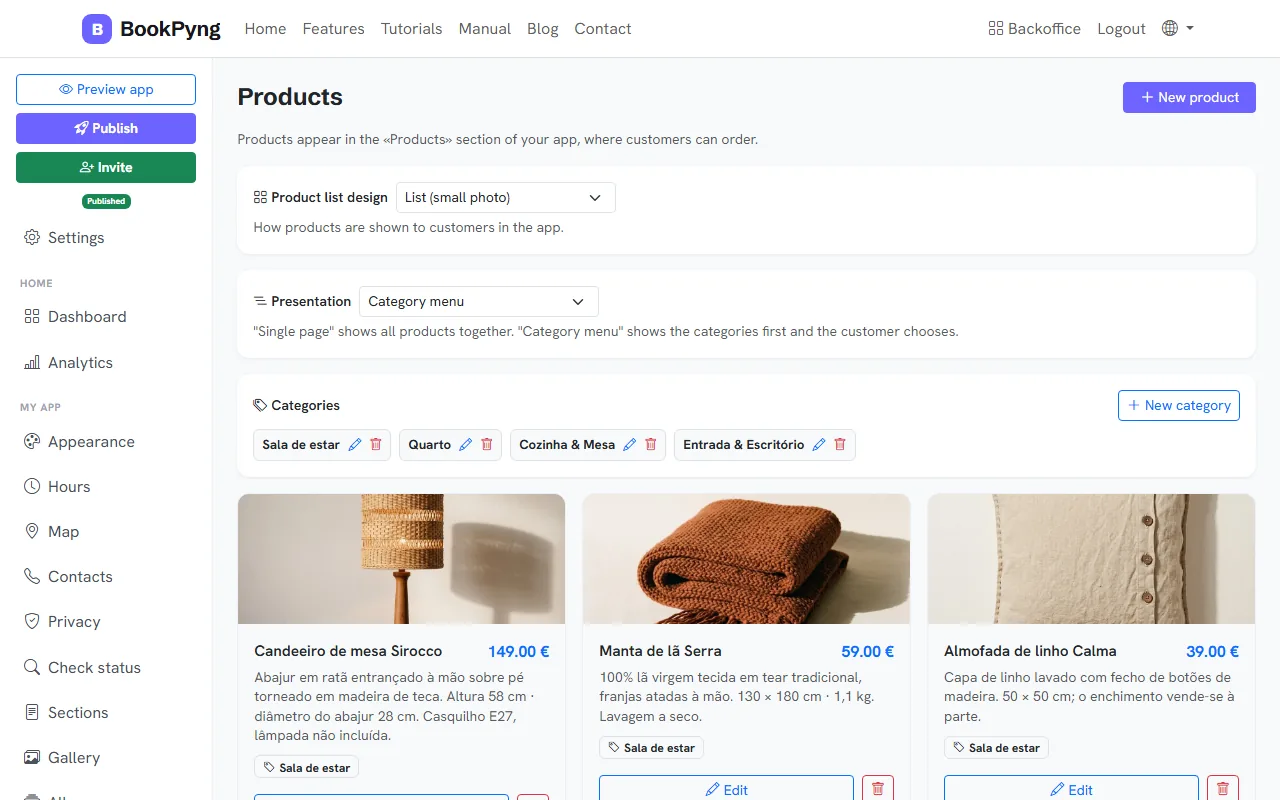
Products appear in the app’s “Products” section, where customers can order. Use it for retail, a catalogue or anything you want to sell.
Step by step
- Open Products and press New product.
- Fill in Product name, Description, Price (€) and, optionally, a photo and a Category. For variants, use Multiple prices (for example “Small 5 € / Large 8 €”).
- Choose the Product list design: list, grid, highlight or compact; and the Presentation: single page or category menu.
- Orders appear on the home dashboard under Orders, by status (confirmed, ready, delivered, cancelled), with internal notes and messages with the customer.
Tips
- Messages you write to a customer on an order reach them in the app, by notification and by email.
Ready to have your own app? Create an account and get 14 days with everything unlocked.
Create my app