Sell and retain · 18/30
Table reservations
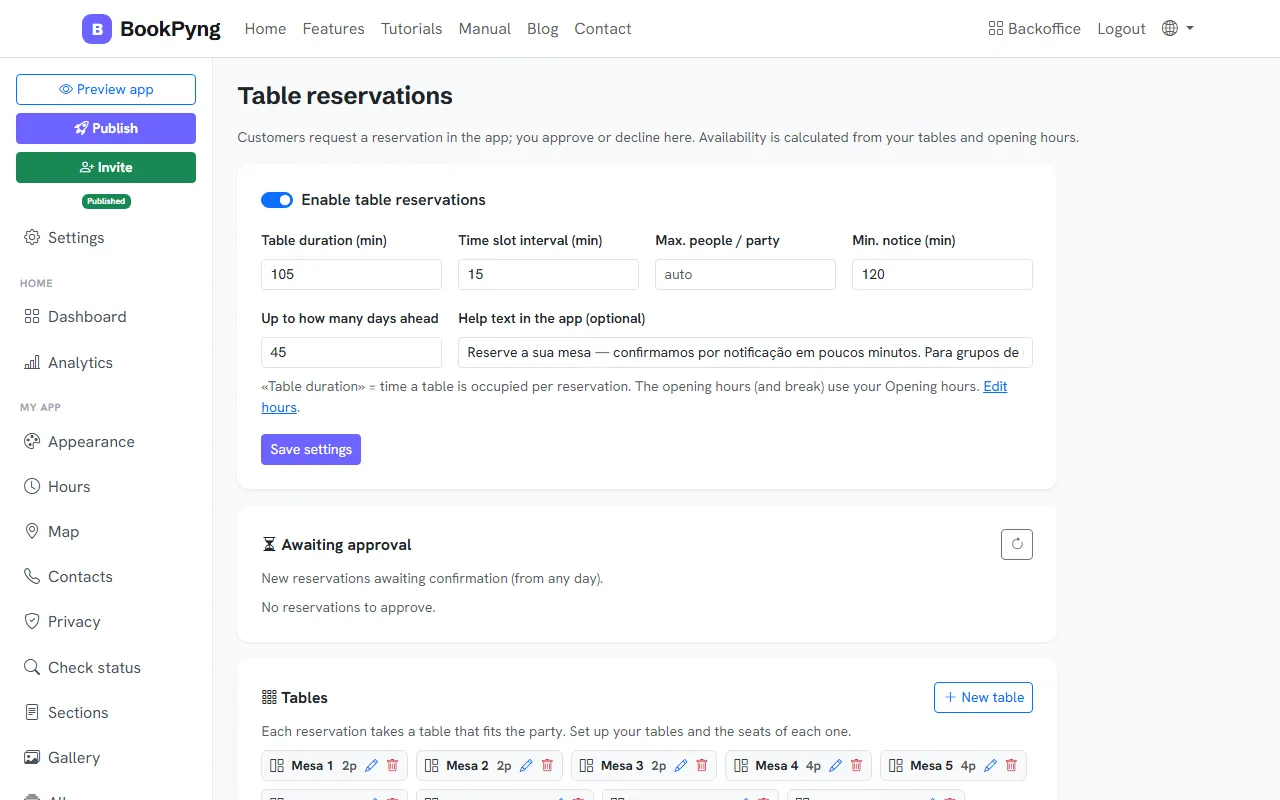
Customers request a reservation in the app and you approve or decline. Availability is calculated from your tables and your hours.
Step by step
- Open Reservations and turn on Enable table reservations.
- Set Table duration (min), Time slot interval (min), Max. people / party, Min. notice (min) and Up to how many days ahead. Press Save settings.
- Under Tables, press New table and give each one a name and its seats.
- New reservations wait under Awaiting approval: approve or decline (when declining you can add a reason and the customer is notified).
- See the day in the Schedule or List view, with the statuses Pending, Confirmed and Seated.
Tips
- Opening hours (and the break) come from your Hours: if there are no hours that day, there are no reservations.
Ready to have your own app? Create an account and get 14 days with everything unlocked.
Create my app