Sell and retain · 19/30
Loyalty card
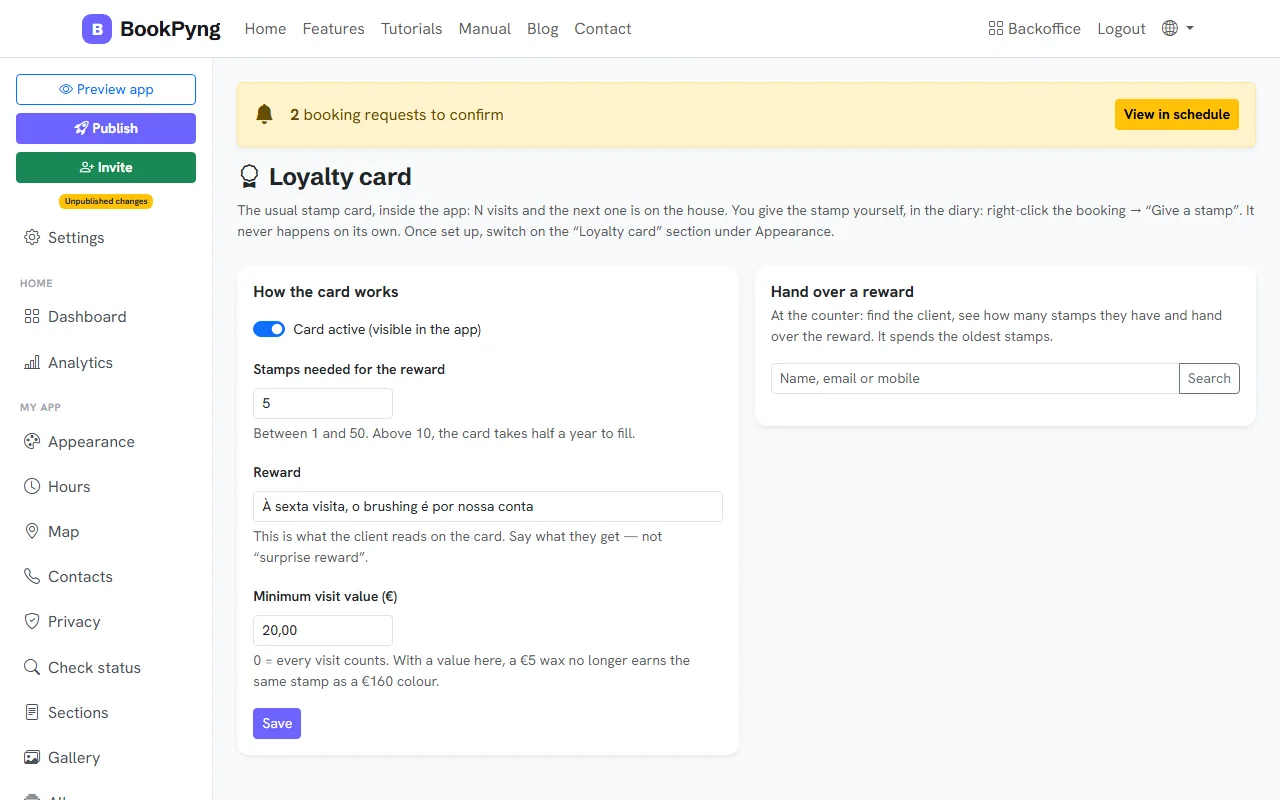
It is the classic stamp card, inside the app: after N visits, the next one is free. You give the stamp yourself, in the calendar; it never happens on its own.
Step by step
- Open Loyalty card and turn on Card active (visible in the app).
- Set the Stamps needed for the reward (between 1 and 50), the Reward (say what the customer gets) and, if you like, the Minimum visit value (€). Press Save.
- In Appearance, enable the “Loyalty card” section so it shows in the app.
- In the Schedule, right-click a confirmed or completed booking and choose Give a stamp. The customer gets a notification.
- When the customer completes the card, at the counter use Hand over a reward: look the customer up, check the stamps and hand it over.
Heads up
The “Give stamp” option only appears when the card is on.
Tips
- Above 10 stamps the card takes half a year to fill — a number between 5 and 8 usually motivates more.
Ready to have your own app? Create an account and get 14 days with everything unlocked.
Create my app