Sell and retain · 17/30
Menu
For restaurants and cafés: a menu with sections, prices, photos and tags that customers flick through in the app.
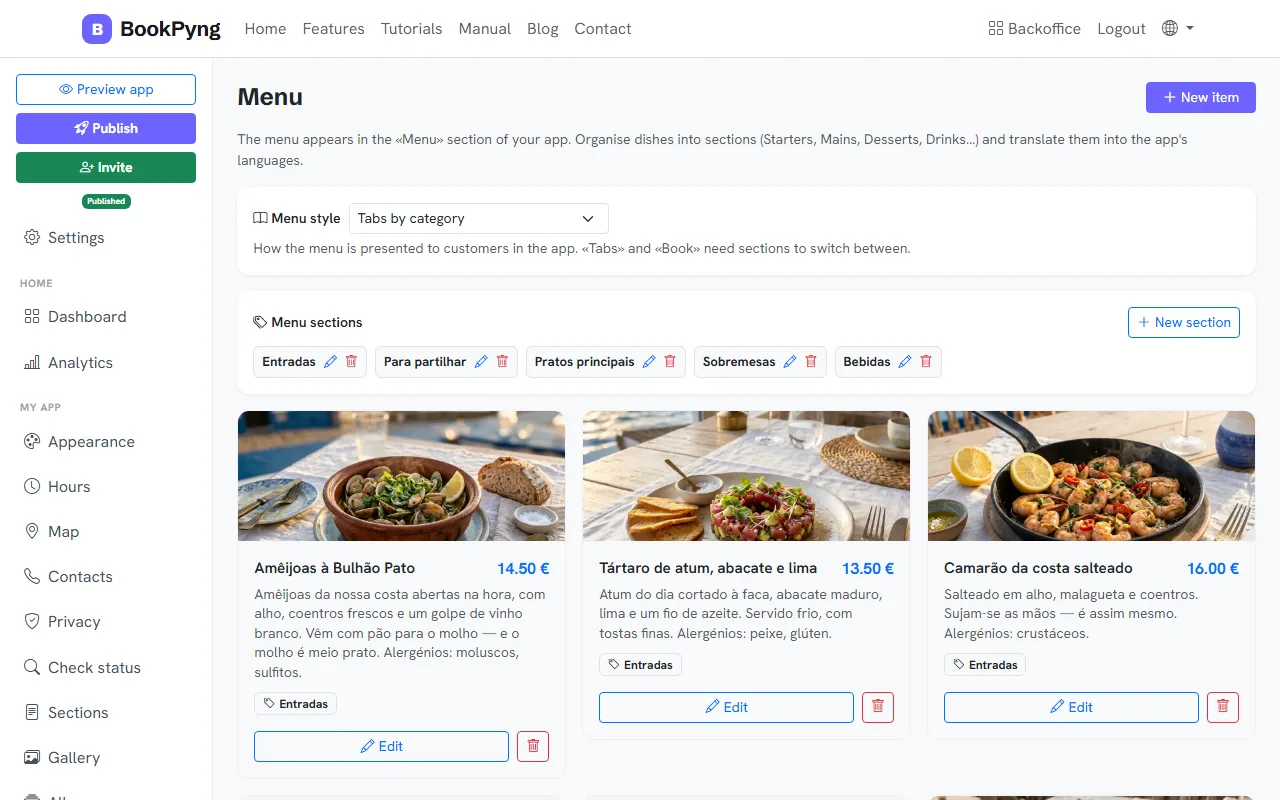
Step by step
- Open Menu and create the Menu sections (for example Starters, Mains, Desserts) with New section.
- Press New item: Dish name, Description, Price (€), Section, an optional photo and Tags. For different portions, use Multiple prices (for example “Half portion 6 € / Full 11 €”).
- Choose the Menu style: classic list with photos, tabs by category, book (flip pages) or elegant, without photos.
Tips
- You do not need to photograph everything: a dish without a photo is normal, especially drinks.
Ready to have your own app? Create an account and get 14 days with everything unlocked.
Create my app