Bookings · 12/30
Calendar and bookings
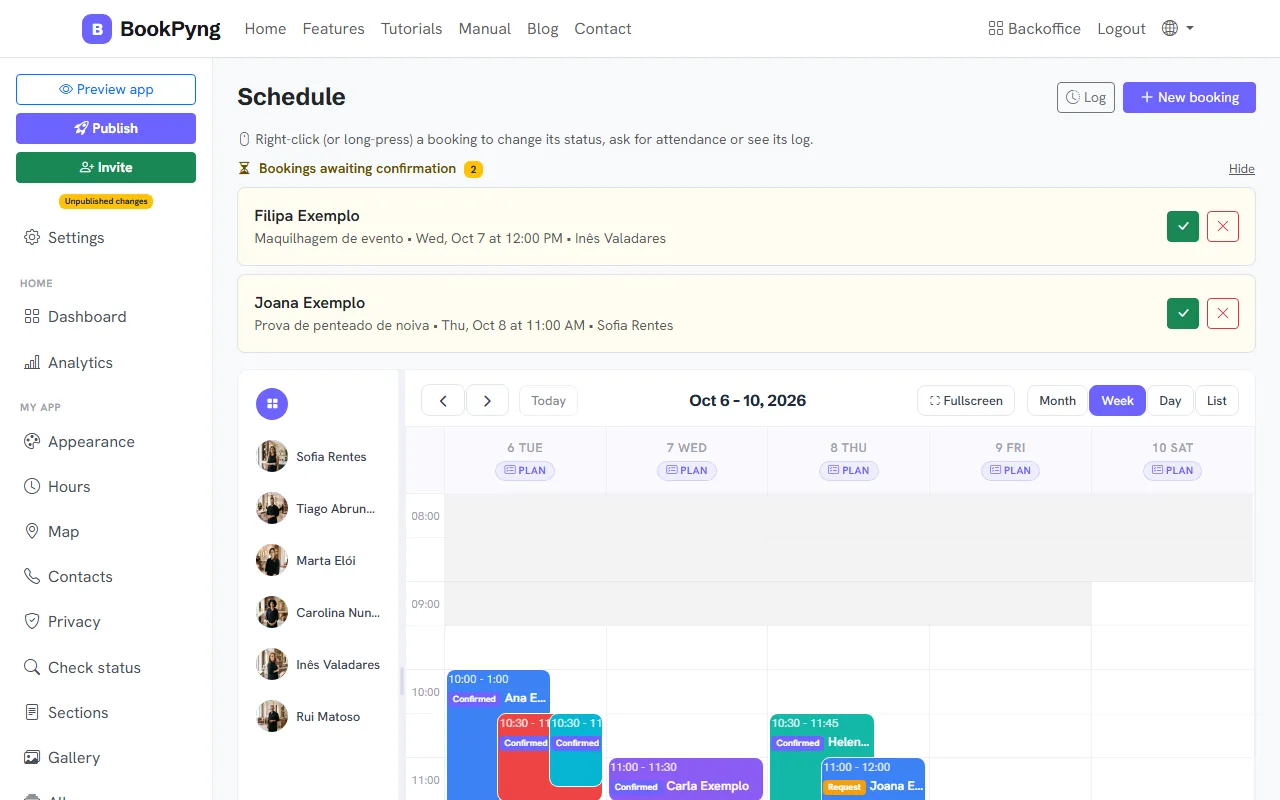
The Schedule shows bookings on a calendar; the Bookings list shows the same ones as a table. Customers book in the app and you see everything here.
Step by step
- Open Schedule to see the calendar by day or week.
- Click a booking to see its details.
- Right-click a booking to see the available actions (see “Statuses and actions”).
- Open Bookings for the full list.
Tips
- The home dashboard shows today’s bookings, this week’s, pending ones and revenue.
Ready to have your own app? Create an account and get 14 days with everything unlocked.
Create my app