Clients · 24/30
Campaigns
Send a message to a group of clients by email, notification or SMS.
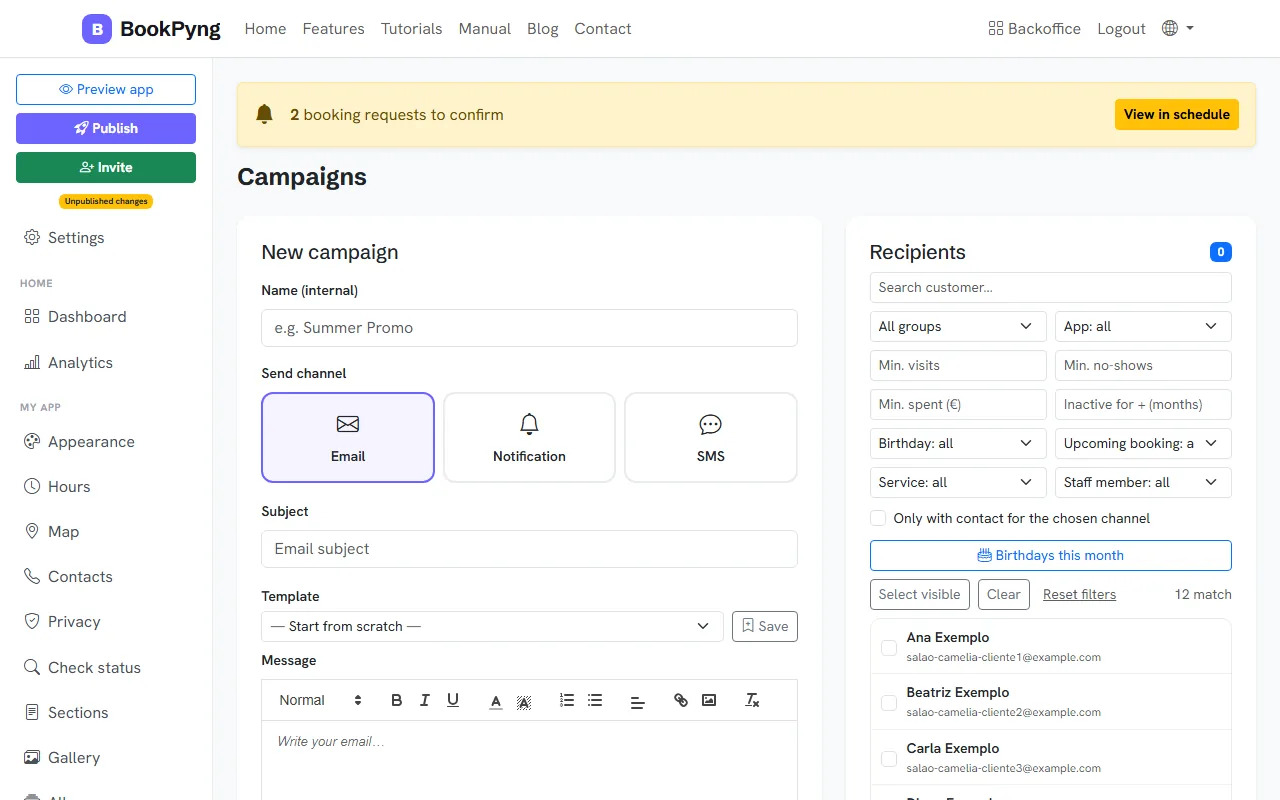
Step by step
- Open Campaigns and press New campaign.
- Give it an Name (internal), choose the Send channel and write the Subject (email) and the Message. You can start from a Template or from scratch.
- Under Recipients, filter by group, app, birthday this month, future booking, service or professional. Only clients with a contact for the chosen channel are included.
- Press Send now or pick a date under Schedule (optional).
- In the History you see the status and how many were sent.
Heads up
SMS campaigns go out from the business’s phone, through the Android app. Notifications need the full version.
Tips
- Try the “Birthdays this month” filter: it is a simple campaign that usually brings bookings.
Ready to have your own app? Create an account and get 14 days with everything unlocked.
Create my app